Move players by hand when plans change
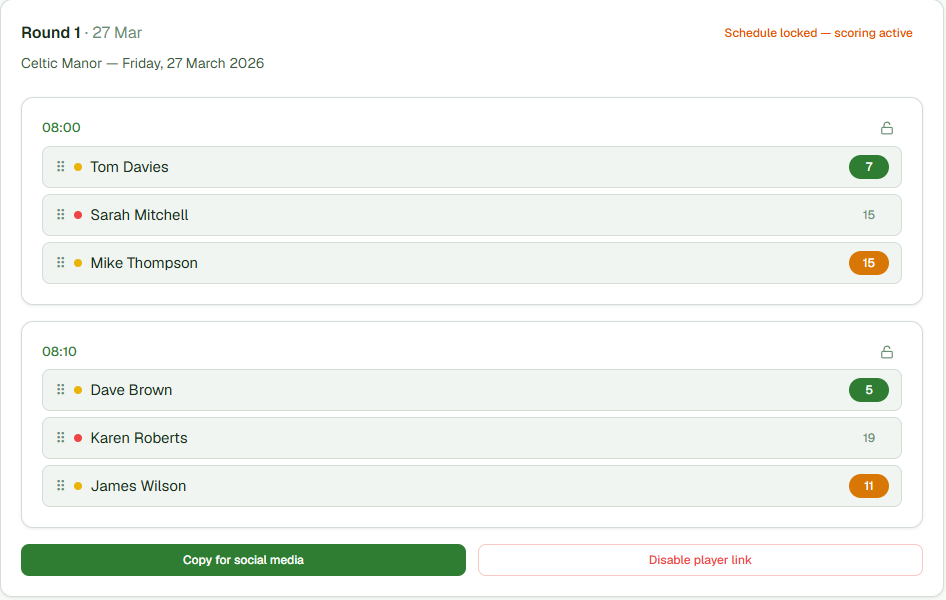
Drag a player from one group to another and the sheet rearranges around them. Lock the groups you’re happy with, regenerate the rest, and your fixed groups stay put.
FreeDrag and drop, safely
The groups the app builds are a starting point, not a verdict - you always have the final say. Drag a player from one group to another and it rearranges around them. If a move would break one of your Essential rules, it flags it in red before you commit, so you can’t accidentally reunite the pair you promised to keep apart.
Lock what works, redo the rest
Happy with two groups but not the others? Lock the ones you like and regenerate only the rest, and the app leaves your locked groups untouched. When someone drops out the night before, or a name gets added on the morning, you add or remove them and it rebalances the unlocked groups around your fixed ones in seconds. You’re never starting the whole sheet again.
Was this helpful?
Last reviewed 7 August 2026
Still stuck?
Tell us what you were trying to do and we will help.
Get in touch